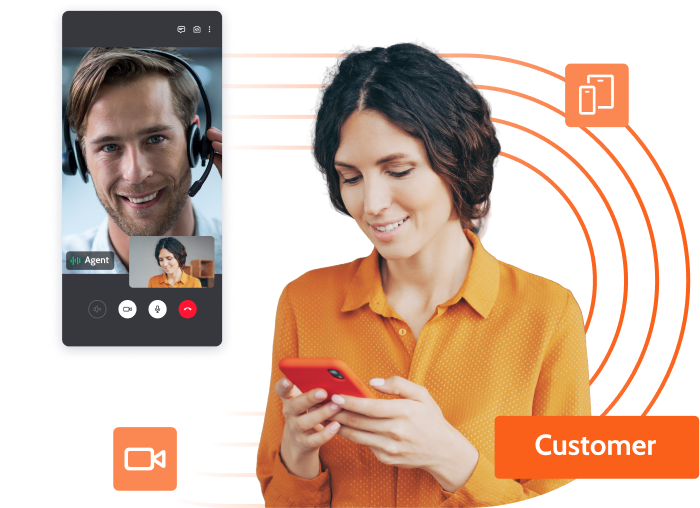
Unblu provides a pre-built, out-of-the-box integration with Temenos Digital web and mobile platforms, designed specifically for the financial services industry to reduce friction, journey abandonment, and operational costs. By embedding instant help directly into the digital experience, banks can resolve issues on the first contact, increasing customers’ willingness to deepen their financial relationships. The platform unites AI Agents and human support in a secure environment, providing agents with the full context of the customer’s journey to deliver fast, personalized, and cost-efficient service.
Main Use Cases
Optimizing Operational Efficiency and Cost-to-Serve
Call centers often suffer from capacity overload because too many customers rely on expensive traditional channels. Unblu helps banks do more with less by shifting volume to digital channels, where AI Agent can handle up to 75% of inquiries without human intervention – or by augmenting physical branch channels with remote support.
Reducing Digital Journey Abandonment
Customers often drop out of digital processes when they get stuck or cannot find help. Unblu reduces this friction by embedding visual guidance directly in the journey, leading to a reported 40% reduction in process time and significantly higher completion rates.
Resolving “Troubleshooting Blindness”
Support is often slow and error-prone because agents cannot see what the customer sees on their screen. By using Co-Browsing and Co-Apping, agents can guide customers step-by-step visually, which has led to a 20% reduction in Average Handling Time (AHT) for complex cases.
Capturing Cross-Sell Opportunities in Service
Service interactions are often treated as one-off support cases, meaning relevant product opportunities often go unaddressed. With Unblu, support can escalate cross-sell opportunities to sales directly from the same conversation with full context. This approach has resulted in a 74% cross-sell success rate during assisted journeys, compared to just 10% in self-service.
Key Features
AI Agent
Call centers often suffer from capacity overload because too many customers rely on expensive traditional channels. Unblu helps banks do more with less by shifting volume to digital channels, where AI Agent can handle up to 75% of inquiries without human intervention – or by augmenting physical branch channels with remote support.
Mobile Co-Apping and Co-Browsing
Customers often drop out of digital processes when they get stuck or cannot find help. Unblu reduces this friction by embedding visual guidance directly in the journey, leading to a reported 40% reduction in process time and significantly higher completion rates.
Unified Agent Desk
Support is often slow and error-prone because agents cannot see what the customer sees on their screen. By using Co-Browsing and Co-Apping, agents can guide customers step-by-step visually, which has led to a 20% reduction in Average Handling Time (AHT) for complex cases.
360° Customer View & AI Summaries:
Service interactions are often treated as one-off support cases, meaning relevant product opportunities often go unaddressed. With Unblu, support can escalate cross-sell opportunities to sales directly from the same conversation with full context. This approach has resulted in a 74% cross-sell success rate during assisted journeys, compared to just 10% in self-service.
Resources
Unblu for Wealth Advisory
Unblu for Customer Service
Discover our platform
Request a demo
Unblu for Customer Service Deliver fast, visual, and human support in every digital journey. Request a demo Unblu logo Lorem ipsum Video call between a financial advisor and a client, with document sharing and co-browsing of a PDF file titled ‘financial-product.pdf’. Digital Support Journeys with Temenos Digital Unblu provides a pre-built, out-of-the-box integration with Temenos Digital web and mobile platforms, designed specifically for the financial services industry to reduce friction, journey abandonment, and operational costs. By embedding instant help directly into the digital experience, banks can resolve issues on the first contact, increasing customers’ willingness to deepen their financial relationships. The platform unites AI Agents and human support in a secure environment, providing agents with the full context of the customer’s journey to deliver fast, personalized, and cost-efficient service. Main Use Cases Optimizing Operational Efficiency and Cost-to-Serve Call centers often suffer from capacity overload because too many customers rely on expensive traditional channels. Unblu helps banks do more with less by shifting volume to digital channels, where AI Agent can handle up to 75% of inquiries without human intervention – or by augmenting physical branch channels with remote support. Reducing Digital Journey Abandonment Customers often drop out of digital processes when they get stuck or cannot find help. Unblu reduces this friction by embedding visual guidance directly in the journey, leading to a reported 40% reduction in process time and significantly higher completion rates. Resolving “Troubleshooting Blindness” Support is often slow and error-prone because agents cannot see what the customer sees on their screen. By using Co-Browsing and Co-Apping, agents can guide customers step-by-step visually, which has led to a 20% reduction in Average Handling Time (AHT) for complex cases. Capturing Cross-Sell Opportunities in Service Service interactions are often treated as one-off support cases, meaning relevant product opportunities often go unaddressed. With Unblu, support can escalate cross-sell opportunities to sales directly from the same conversation with full context. This approach has resulted in a 74% cross-sell success rate during assisted journeys, compared to just 10% in self-service. Resources AI Agent Provides 24/7 assistance on both public and authenticated channels, handling common inquiries and guiding users through processes. It handles repetitive requests and escalates smoothly to human support only when needed, preserving the full conversation history. Learn more Mobile Co-Apping and Co-Browsing Agents can visually assist customers directly inside the Temenos mobile app or web portal without requiring any downloads. Sensitive data is automatically masked to ensure full privacy and compliance during the session. Learn more Unified Agent Desk Agents manage all chat, voice, and video interactions – including third-party channels like WhatsApp and SMS – from a single, intelligent workspace. This eliminates tool switching and ensures consistent service quality across all touchpoints. Learn more 360° Customer View & AI Summaries: Agents have instant access to the customer’s profile, full interaction history, and AI-generated suggested responses and conversation summaries. This ensures that agents get up to speed instantly, making follow-ups and transfers faster without forcing customers to repeat details. Learn more Resources Unblu for Customer Service Category Award Date Business Resiliency Accreditation Builder April 2024 Sustainability Accreditation Starter April 2024 Interested in the full Hopp Tech report? Click here to buy it now. Request a Demo Related Providers Lorem ipsum Resolving “Troubleshooting Blindness” Support is often slow and error-prone because agents cannot see what the customer sees on their screen. By using Co-Browsing and Co-Apping, agents can guide customers step-by-step visually, which has led to a 20% reduction in Average Handling Time (AHT) for complex cases. Capturing Cross-Sell Opportunities in Service Service interactions are often treated as one-off support cases, meaning relevant product opportunities often go unaddressed. With Unblu, support can escalate cross-sell opportunities to sales directly from the same conversation with full context. This approach has resulted in a 74% cross-sell success rate during assisted journeys, compared to just 10% in self-service. Key features Learn more Unblu for Wealth Advisory Learn more Discover our platform Learn more Unified Agent Desk Agents manage all chat, voice, and video interactions – including third-party channels like WhatsApp and SMS – from a single, intelligent workspace. This eliminates tool switching and ensures consistent service quality across all touchpoints. 360° Customer View & AI Summaries: Agents have instant access to the customer’s profile, full interaction history, and AI-generated suggested responses and conversation summaries. This ensures that agents get up to speed instantly, making follow-ups and transfers faster without forcing customers to repeat details.
The future of banking starts here
Discover how our platform helps financial institutions navigate change, embrace new opportunities, and deliver smarter, faster banking. Together, we embrace the future of finance – Leading Banking Forward.
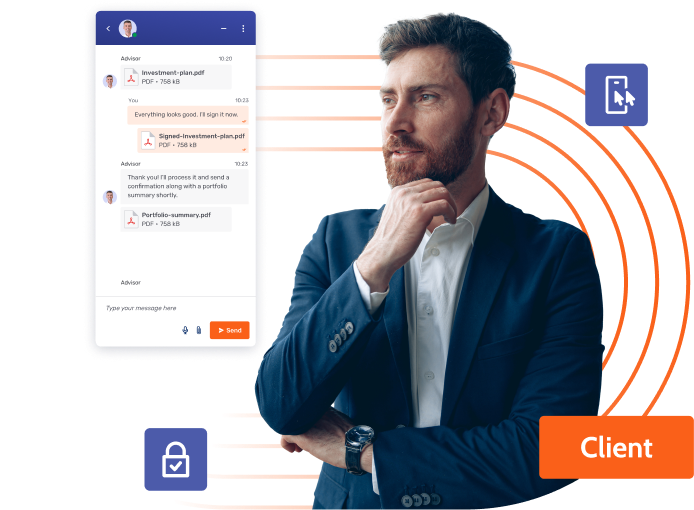
Unblu provides a pre-built, out-of-the-box integration with Temenos Digital for both web and mobile apps, specifically tailored for the high-security requirements of the financial services industry. This integration enables RMs and wealth managers to extend trusted advisor relationships into digital channels, providing a secure, compliant alternative to consumer messaging apps. By unifying client communication and internal collaboration in a single, secure engagement platform, advisors can reduce tool switching and preserve the premium, high-touch feel of private banking in a digital environment.
Main Use Cases
Mitigating Relationship Risk Across Demographics
Wealth clients across different demographics now expect instant, personal, and frictionless access to their advisors through integrated digital channels. Traditional digital channels often feel generic and transactional, making premium clients feel less valued than in traditional face-to-face interactions. Unblu helps provide a more premium experience, ensuring the brand’s exclusivity is maintained regardless of the channel used.
Driving Operational Velocity and Efficiency
Moving from a client request to execution often involves manual coordination and identity verification steps that create delays. Unblu streamlines front-to-back office collaboration by unifying advisors, assistants, and specialists in a single secure thread with ongoing context. This integrated workflow removes the need for identity callbacks and has been shown to reduce RM and back-office workloads by 40%, allowing advisors to handle a higher volume of interactions while maintaining high service quality.
Proactive Client Engagement
Advisors often struggle with reactive communication, mainly responding to inbound requests rather than engaging proactively at key moments. Unblu enables advisors to reach out with timely insights and tailored updates via outbound and broadcast messaging. This nurtures long-term loyalty and ensures clients feel valued through personalized outreach that continues the conversation beyond scheduled meetings
Key Features
In-App Asynchronous Messaging
Advisors and clients stay connected in one secure, ongoing conversation where history and documents remain available. This allows clients to respond when it suits them, making the relationship feel consistent and premium.
Secure Document Exchange
Sensitive documents are shared and referenced directly inside the conversation thread rather than via email. This keeps execution tied to the advisory context and reduces version confusion or security risks.
Multi-Party Collaboration
Advisors can discreetly or visibly bring in assistants, investment specialists, or compliance officers into a secure thread. This context eliminates redundant handovers and speeds up resolution for complex client needs.
Flexible, High-Security Deployment
To meet the most stringent regulatory and compliance standards, the entire platform – including voice, video, and messaging – can be deployed on-premise. This ensures total data sovereignty and aligns with the high-security requirements of elite wealth advisory firms.
Resources
Unblu for Wealth Advisory
Unblu for Customer Service
Discover our platform
Request a demo
Unblu for Wealth Advisory High-touch digital advisory that preserves the private banking. Request a demo Unblu logo Lorem ipsum Video call between a financial advisor and a client, with document sharing and co-browsing of a PDF file titled ‘financial-product.pdf’. Digital Wealth Advisory with Temenos Digital Unblu provides a pre-built, out-of-the-box integration with Temenos Digital for both web and mobile apps, specifically tailored for the high-security requirements of the financial services industry. This integration enables RMs and wealth managers to extend trusted advisor relationships into digital channels, providing a secure, compliant alternative to consumer messaging apps. By unifying client communication and internal collaboration in a single, secure engagement platform, advisors can reduce tool switching and preserve the premium, high-touch feel of private banking in a digital environment. Main Use Cases Mitigating Relationship Risk Across Demographics Wealth clients across different demographics now expect instant, personal, and frictionless access to their advisors through integrated digital channels. Traditional digital channels often feel generic and transactional, making premium clients feel less valued than in traditional face-to-face interactions. Unblu helps provide a more premium experience, ensuring the brand’s exclusivity is maintained regardless of the channel used. Mitigating Relationship Risk Across Demographics Wealth clients across different demographics now expect instant, personal, and frictionless access to their advisors through integrated digital channels. Traditional digital channels often feel generic and transactional, making premium clients feel less valued than in traditional face-to-face interactions. Unblu helps provide a more premium experience, ensuring the brand’s exclusivity is maintained regardless of the channel used. Resolving “Troubleshooting Blindness” Support is often slow and error-prone because agents cannot see what the customer sees on their screen. By using Co-Browsing and Co-Apping, agents can guide customers step-by-step visually, which has led to a 20% reduction in Average Handling Time (AHT) for complex cases. Capturing Cross-Sell Opportunities in Service Service interactions are often treated as one-off support cases, meaning relevant product opportunities often go unaddressed. With Unblu, support can escalate cross-sell opportunities to sales directly from the same conversation with full context. This approach has resulted in a 74% cross-sell success rate during assisted journeys, compared to just 10% in self-service. Resources In-App Asynchronous Messaging Advisors and clients stay connected in one secure, ongoing conversation where history and documents remain available. This allows clients to respond when it suits them, making the relationship feel consistent and premium. Learn more Secure Document Exchange Sensitive documents are shared and referenced directly inside the conversation thread rather than via email. This keeps execution tied to the advisory context and reduces version confusion or security risks. Learn more Unified Agent Desk Agents manage all chat, voice, and video interactions – including third-party channels like WhatsApp and SMS – from a single, intelligent workspace. This eliminates tool switching and ensures consistent service quality across all touchpoints. Learn more 360° Customer View & AI Summaries: Agents have instant access to the customer’s profile, full interaction history, and AI-generated suggested responses and conversation summaries. This ensures that agents get up to speed instantly, making follow-ups and transfers faster without forcing customers to repeat details. Learn more Resources Unblu for Wealth Advisory Category Award Date Business Resiliency Accreditation Builder April 2024 Sustainability Accreditation Starter April 2024 Interested in the full Hopp Tech report? Click here to buy it now. Request a Demo Related Providers Lorem ipsum Driving Operational Velocity and Efficiency Moving from a client request to execution often involves manual coordination and identity verification steps that create delays. Unblu streamlines front-to-back office collaboration by unifying advisors, assistants, and specialists in a single secure thread with ongoing context. This integrated workflow removes the need for identity callbacks and has been shown to reduce RM and back-office workloads by 40%, allowing advisors to handle a higher volume of interactions while maintaining high service quality. Proactive Client Engagement Advisors often struggle with reactive communication, mainly responding to inbound requests rather than engaging proactively at key moments. Unblu enables advisors to reach out with timely insights and tailored updates via outbound and broadcast messaging. This nurtures long-term loyalty and ensures clients feel valued through personalized outreach that continues the conversation beyond scheduled meetings Key features Learn more Unblu for Customer Service Learn more Discover our platform Learn more Secure Document Exchange Sensitive documents are shared and referenced directly inside the conversation thread rather than via email. This keeps execution tied to the advisory context and reduces version confusion or security risks. Multi-Party Collaboration Advisors can discreetly or visibly bring in assistants, investment specialists, or compliance officers into a secure thread. This context eliminates redundant handovers and speeds up resolution for complex client needs. Flexible, High-Security Deployment To meet the most stringent regulatory and compliance standards, the entire platform – including voice, video, and messaging – can be deployed on-premise. This ensures total data sovereignty and aligns with the high-security requirements of elite wealth advisory firms.
The future of banking starts here
Discover how our platform helps financial institutions navigate change, embrace new opportunities, and deliver smarter, faster banking. Together, we embrace the future of finance – Leading Banking Forward.
The Allied iQQ® connector provides access to Allied’s cutting-edge online quoting software, iQQ®, directly within Temenos LMS Origination. The connector allows loan origination customers to present and cross-sell GAP and MBP options.
Key Features
Simple and Seamless Processing
Presented within a new Allied iQQ® workflow step, this connector seamlessly displays all the requirements for quoting, accepting and fulfilling Allied’s Mechanical Breakdown Protection (MBP) and Guaranteed Asset Protection (GAP) within the platform.
Real-Time Interface
A powerful, real-time interface eliminates the need to launch Allied iQQ® in a separate window for individual transactions. All functionality needed to create, update and issue Allied point-of-sale products can be found directly within the system.
Track and Monitor Performance
Reports and analytics can provide visibility of how often loan officers are informing applicants about available point-of-sale products, as well as measure overall opportunities and success rates.
Benefits
Increase Your Bottom Line
The Allied iQQ® connector ensures GAP and MBP are discussed with each new loan applicant, increasing efficiency and the likelihood of a successful sale.
Eliminate the Need for Multiple Programs
Eliminate time spent maneuvering between multiple screens and programs. All tools needed to quote, accept and fulfill MBP and GAP are available within one centralized system. 3. Reduce Redundant Data Entry – Existing borrower, collateral and loan information is automatically transmitted between the module and Allied iQQ®, greatly reducing the amount of manual data entry required.
Discover how our platform helps financial institutions navigate change, embrace new opportunities, and deliver smarter, faster banking. Together, we embrace the future of finance – Leading Banking Forward.
The FIS BASE2000 connector seamlessly transfers credit card fulfillment requests and updates between Temenos LMS Origination and BASE2000, FIS’ premier card management system.
Key Features
Integrated Connection
When a loan has been approved and disbursed in the Loan Origination module, all information is automatically transmitted to BASE2000. The connector can create new credit card accounts, increase credit limits, or add authorized users without having to leave the platform.
Support of Multiple Product Types
Temenos LMS Origination’s dynamic rules engine allows the system to support various credit card programs. Items such as card type, card design, and over the limit fees can be specified and sent directly to BASE2000 using rules defined for each sub-product. This enables the system to accommodate unique requirements for each credit card product offered by the financial institution.
Two-Way Communication
This connector allows for a real-time, two-way communication channel between Temenos LMS Origination and BASE2000. Not only can loan application details be immediately sent to BASE2000, but once the account is created, information such as creation date and the full credit card number is automatically passed back to the system.
Benefits
Reduce Data Entry
Information from Temenos LMS Origination is automatically pre-populated in BASE2000 for account creation, eliminating human error and the need for double data entry.
Increase Efficiency
The BASE2000 connector eliminates the need for end users to work in multiple systems to fulfill credit card requests.
Save Time and Improve Satisfaction
A real-time connection between Temenos LMS Origination and BASE2000 allows for a quick turnaround on credit card requests which can improve account holder satisfaction and ensure processing time is kept to a minimum.
Discover how our platform helps financial institutions navigate change, embrace new opportunities, and deliver smarter, faster banking. Together, we embrace the future of finance – Leading Banking Forward.
The RouteOne connector allows dealer applications from RouteOne’s portal to be submitted, evaluated and decisioned directly within Temenos LMS Orignation.
Key Features
Seamless Connection
This connector provides seamless integration between RouteOne and the Temenos Loan Origination module. When a loan request is submitted through RouteOne, all information is automatically transmitted to the Temenos system where a new application is created and all data fields are pre-populated. The loan can then be decisioned and a response is automatically sent back to the dealer for review.
Instant Decisioning
The dynamic rules engine in the Loan Origination module allows financial institutions to set requirements for indirect vehicle loan requests that can automate decisions without any manual effort.
Easy Communication
The RouteOne connector provides a clear communication channel between the financial institution and the dealer. Requests, decisions and comments are communicated immediately and can be tracked directly within the Temenos system.
Benefits
Leverage Indirect Lending Channel
The RouteOne connector provides a quick and efficient way for financial institutions to leverage the indirect lending channel to gain access to the numerous loan requests a vehicle dealership will process.
Reduce Redundant Data Entry
Information from RouteOne is pre-populated in the loan application automatically, eliminating human error and the need for double data entry.
Save Time
Whether a loan application is approved or denied, the dealer is immediately and automatically notified when a decision is placed on the application.
Discover how our platform helps financial institutions navigate change, embrace new opportunities, and deliver smarter, faster banking. Together, we embrace the future of finance – Leading Banking Forward.
The SWBC UNITY connector allows financial institutions to present and cross-sell loan protection products using SWBC’s UNITY® software directly through Temenos LMS Origination.
Key Features
Enhance Cross-Sell Opportunities
The SWBC UNITY connector provides loan officers with the ability to quickly and accurately support cross-sell opportunities during the loan generation process for Guaranteed Asset Protection (GAP), Extended Warranties (MBI & VSC), Credit Insurance and Debt Cancellation.
Workflow Integration
Information needed to quote and cross-sell multiple UNITY products is automatically presented as part of a custom loan origination workflow. This functionality provides process consistency and ensures UNITY products are presented as part of each new loan.
Reporting and Analytics
With the SWBC UNITY connector, reports and analytics can be generated to determine success rates, track performance overall, by branch or user, and create effective coaching and incentive programs.
Seamless Document Creation
All documents associated with UNITY point-of-sale products are automatically generated as part of the workflow step in the Loan Origination module and printed at the end of the loan cycle along with all other loan documents.
Benefits
Increase Sales
The SWBC UNITY connector ensures GAP and MBI are discussed with each new loan applicant, increasing efficiency and the likelihood of a successful sale.
Eliminate the Need for Multiple Programs
Eliminate time spent maneuvering between multiple screens and programs. All the necessary tools needed to utilize UNITY can be accessed directly in the Loan Origination module.
Decrease Human Error and Data Entry
Information from the Temenos database is automatically sent to UNITY and pre-populated on-screen. If any data is added directly to UNITY, the changes are immediately transferred and saved in the Loan Origination module, providing seamless, real-time integration between the two systems.
Discover how our platform helps financial institutions navigate change, embrace new opportunities, and deliver smarter, faster banking. Together, we embrace the future of finance – Leading Banking Forward.
The PSCU connector allows credit card information from PSCU to be easily accessed directly within Temenos LMS Collection.
Key Features
Import Capabilities
Files are imported daily from PSCU and stored at the account-level. This information is available for searching, creating queues, reporting, and building custom screens.
New Fields and Screens
Through all three interface options, users can gain access to fields such as card numbers and balances. Additional fields and screens related to recent activity, payment history, reward points and statement records can be accessed using the real-time interface option.
Real-Time Functionality
Through the real-time interface, users can update demographic information, activate credit cards, order replacement cards, and request PIN reminders.
Benefits
Save Time
Reduce time spent toggling between multiple systems by importing PSCU credit card information directly into the platform.
Access Additional Fields
Through the PSCU connector, institutions will see additional credit card fields ithat are not provided by the core system.
Receive Current Information
Information received using the direct interface with PSCU is more current than that which is received from the core.
Improve Account Management
Take advantage of the platform’s powerful workflow engine and build workflows for PSCU accounts.
Resources
PSCU Connector – Collection
Request a demo
PSCU – Collection Access Credit Card Information with PSCU. Integrated to the Temenos LMS Collection and Recovery Module lexis img The PSCU connector allows credit card information from PSCU to be easily accessed directly within Temenos LMS Collection. Key Features Import Capabilities Files are imported daily from PSCU and stored at the account-level. This information is available for searching, creating queues, reporting, and building custom screens. New Fields and Screens Through all three interface options, users can gain access to fields such as card numbers and balances. Additional fields and screens related to recent activity, payment history, reward points and statement records can be accessed using the real-time interface option. Real-Time Functionality Through the real-time interface, users can update demographic information, activate credit cards, order replacement cards, and request PIN reminders. Benefits Save Time Reduce time spent toggling between multiple systems by importing PSCU credit card information directly into the platform. Access Additional Fields Through the PSCU connector, institutions will see additional credit card fields ithat are not provided by the core system. Resources PSCU Connector – Collection Download data sheet Allied CPI Connector Download data sheet Request a Demo Request a Demo Receive Current Information Information received using the direct interface with PSCU is more current than that which is received from the core. Daily Communication CPI data from InsurTrak is delivered daily, providing financial institutions with the most up-to-date and necessary insurance and claim information. These details can be used to drive views, workflows and reports. Review and Discard Invalid Matches Users have the ability to discard any matches that are not valid and keep those that are. Information that is retained as valid is stored in the Account Detail area along with the match date. Information Validation Before accounts are sent to Banko, the system validates the SSN to ensure it is valid. If an issue is discovered, the account will appear on a separate report for review, referenced directly within the system. Improve Account Management Take advantage of the platform’s powerful workflow engine and build workflows for PSCU accounts. Eliminate the Need for Multiple Programs Eliminate time spent maneuvering between multiple screens and programs. All the necessary tools to initiate and track SWBC Loss Mitigation service requests can be found in the platform. Stay One Step Ahead All loss mitigation information is displayed in real time, eliminating errors made due to inaccurate or outdated information. In addition, standardized workflows ensure the collection process is done exactly as you have defined every time.
The future of banking starts here
Discover how our platform helps financial institutions navigate change, embrace new opportunities, and deliver smarter, faster banking. Together, we embrace the future of finance – Leading Banking Forward.
The Lexis Nexis Banko connector provides institutions with an automated process for monitoring accounts for bankruptcy filings, dismissals, and conversions through Temenos LMS Collection.
Key Features
Automatic Account Monitoring
Accounts sent to Banko are automatically monitored for filings. Any matches are recorded and transmitted back to the institution.
Easily Add and Remove Accounts
Any new accounts can be flagged and sent to Banko the next day. Users also have the ability to remove accounts from the Banko database if necessary.
Customize Match Criteria
All match criteria can be customized to meet the individual needs of the institution.
Review and Discard Invalid Matches
Users have the ability to discard any matches that are not valid and keep those that are. Information that is retained as valid is stored in the Account Detail area along with the match date.
Information Validation
Before accounts are sent to Banko, the system validates the SSN to ensure it is valid. If an issue is discovered, the account will appear on a separate report for review, referenced directly within the system.
Benefits
Reduce Data Entry Requirements
When matches are found, they are sent to the collection or recovery modules, and 54 standard notification fields are automatically populated.
Eliminate the Need for Multiple Programs
Eliminate time spent toggling between more than one screen or program. All tools used to flag and send accounts for monitoring are built directly into the platform.
Resources
Banko Connector
Request a demo
LexisNexis Access Bankruptcy Information with the Banko Connector. Integrated to the Temenos LMS Collection and Recovery Modules. lexis img The Lexis Nexis Banko connector provides institutions with an automated process for monitoring accounts for bankruptcy filings, dismissals, and conversions through Temenos LMS Collection. Key Features Automatic Account Monitoring Accounts sent to Banko are automatically monitored for filings. Any matches are recorded and transmitted back to the institution. Easily Add and Remove Accounts Any new accounts can be flagged and sent to Banko the next day. Users also have the ability to remove accounts from the Banko database if necessary. Customize Match Criteria All match criteria can be customized to meet the individual needs of the institution. Benefits Reduce Data Entry Requirements When matches are found, they are sent to the collection or recovery modules, and 54 standard notification fields are automatically populated. Eliminate the Need for Multiple Programs Eliminate time spent toggling between more than one screen or program. All tools used to flag and send accounts for monitoring are built directly into the platform. Resources Banko Connector Download data sheet Allied CPI Connector Download data sheet Request a Demo Request a Demo Reduce Redundant Data Entry Fields will automatically be imported into the system preventing duplicate data entry and saving users time allowing them to focus on other tasks. Daily Communication CPI data from InsurTrak is delivered daily, providing financial institutions with the most up-to-date and necessary insurance and claim information. These details can be used to drive views, workflows and reports. Review and Discard Invalid Matches Users have the ability to discard any matches that are not valid and keep those that are. Information that is retained as valid is stored in the Account Detail area along with the match date. Information Validation Before accounts are sent to Banko, the system validates the SSN to ensure it is valid. If an issue is discovered, the account will appear on a separate report for review, referenced directly within the system. Field Call Reports Field Call Reports are also available in the platform when using the NCCI connector for service requests that have been completed. Of course, these can be printed and are always stored in association with the account. Eliminate the Need for Multiple Programs Eliminate time spent maneuvering between multiple screens and programs. All the necessary tools to initiate and track SWBC Loss Mitigation service requests can be found in the platform. Stay One Step Ahead All loss mitigation information is displayed in real time, eliminating errors made due to inaccurate or outdated information. In addition, standardized workflows ensure the collection process is done exactly as you have defined every time.
The future of banking starts here
Discover how our platform helps financial institutions navigate change, embrace new opportunities, and deliver smarter, faster banking. Together, we embrace the future of finance – Leading Banking Forward.
Access an account holder’s mortgage data directly within Temenos LMS Collection with the addition of the FICS® connector.
Key Features
Access Additional Mortgage Data
The FICS® connector provides additional data to the system including the Loan Status, Number of Payments, Principal Balance and more! The fields imported from the FICS® connector can be used for searching, creating queues, reports and screens directly within the platform.
Quickly Identify Delinquent Accounts
Easily identify delinquent mortgage accounts with the FICS® connector. FICS® will only import accounts into the system with a balance greater than $0.00 and a days delinquent value greater than zero. Through simple queue criteria set-up, these accounts will automatically flow into a predefined queue.
Create Payment History Records
During the daily batch import, the Date of Last Payment and Amount of Last Payment fields will be compared to the payment history records within the system. If there is not an existing payment with the same date and amount, a payment is automatically created in the modules using these values. Users can view the records of these payments within the Payment History screen.
Benefits
Quick and Easy Activation
Once a relationship with FICS® is established, activating the FICS® connector in the system takes only minutes!
Eliminate the Need for Multiple Programs
Eliminate time spent maneuvering between multiple browsers and programs. All tools needed to access mortgage data from FICS® can be done directly in the platform.
Reduce Redundant Data Entry
Fields will automatically be imported into the system preventing duplicate data entry and saving users time allowing them to focus on other tasks.
FICS – Connector Access Mortgage Data Using the FICS Connector. Integrated to the Temenos LMS Collection and Recovery Module. FICS Connector img Access an account holder’s mortgage data directly within Temenos LMS Collection with the addition of the FICS® connector. Key Features Access Additional Mortgage Data The FICS® connector provides additional data to the system including the Loan Status, Number of Payments, Principal Balance and more! The fields imported from the FICS® connector can be used for searching, creating queues, reports and screens directly within the platform. Quickly Identify Delinquent Accounts Easily identify delinquent mortgage accounts with the FICS® connector. FICS® will only import accounts into the system with a balance greater than $0.00 and a days delinquent value greater than zero. Through simple queue criteria set-up, these accounts will automatically flow into a predefined queue. Create Payment History Records During the daily batch import, the Date of Last Payment and Amount of Last Payment fields will be compared to the payment history records within the system. If there is not an existing payment with the same date and amount, a payment is automatically created in the modules using these values. Users can view the records of these payments within the Payment History screen. Benefits Quick and Easy Activation Once a relationship with FICS® is established, activating the FICS® connector in the system takes only minutes! Eliminate the Need for Multiple Programs Eliminate time spent maneuvering between multiple browsers and programs. All tools needed to access mortgage data from FICS® can be done directly in the platform. Resources FICS Connector Download data sheet Allied CPI Connector Download data sheet Request a Demo Request a Demo Reduce Redundant Data Entry Fields will automatically be imported into the system preventing duplicate data entry and saving users time allowing them to focus on other tasks. Daily Communication CPI data from InsurTrak is delivered daily, providing financial institutions with the most up-to-date and necessary insurance and claim information. These details can be used to drive views, workflows and reports. Reporting at Your Fingertips Dashboards provide detailed reporting of transaction statuses. Quickly and easily monitor your staff’s activity. Reports may be sorted by a specific user (or by all users), filtered by any given date range, and exported to Word or Excel. Schedule Recurring Payments Recurring ACH transactions may be scheduled using checking accounts or savings accounts. In addition, the SWBC Payments connector provides your staff the ability to print the NACHA required written authorization form. Field Call Reports Field Call Reports are also available in the platform when using the NCCI connector for service requests that have been completed. Of course, these can be printed and are always stored in association with the account. Eliminate the Need for Multiple Programs Eliminate time spent maneuvering between multiple screens and programs. All the necessary tools to initiate and track SWBC Loss Mitigation service requests can be found in the platform. Stay One Step Ahead All loss mitigation information is displayed in real time, eliminating errors made due to inaccurate or outdated information. In addition, standardized workflows ensure the collection process is done exactly as you have defined every time.
The future of banking starts here
Discover how our platform helps financial institutions navigate change, embrace new opportunities, and deliver smarter, faster banking. Together, we embrace the future of finance – Leading Banking Forward.
The NCCI connector provides the ability to submit requests including real-time field calls and property inspections to NCCI through the collection workflow or directly through a NCCI screen within Temenos LMS Collection.
Key Features
Outsource Face-to-Face Collections
The NCCI connector provides the ability to assign a NCCI field representative to contact your account holder face-to-face by the addition of the connector to the Temenos LMS Collection and Recovery modules.
Batch and Real-time Capable
Once the NCCI connector is activated, your financial institution will have the ability to send accounts individually or in batch. Select the option that works best for you by using the NCCI workflow steps.
Field Call Service to Fit Your Needs
Order the services that best suit your needs. 1-Run attempt field calls are available for all loan types while 3-Run attempt calls can be used for mortgages, loss mitigation, or custom modification services. A 3-Run Field Call is a series of three separate attempts made to a borrower’s residence or place of employment in an effort to achieve right party contact. 4. Mitigate Repossession or Foreclosure – Mitigate losses in lieu of repossession or foreclosure. Implementing a process that includes property inspection and field calls at early-stage delinquency may help your financial institution alleviate the need for repossession or foreclosure.
Benefits
Track Progress through Dashboards and Reports
Twice daily, “batch” information is pulled from the NCCI web service Submit Field Call and Loss Mitigation Requests and stored in the Temenos database for use in reports, views and dashboards. This provides you with accurate, timely information at your fingertips.
Professional Approach
Remove the stress of contacting a delinquent account personally with NCCI’s field representatives who are trained to treat delinquent account holders with dignity, sincerity and professionalism while efficiently reconnecting you with your borrower.
NCCI Dashboard Web Part
A custom NCCI connector web part populates within the system for inclusion in one or more dashboards. The new web part contains three pie charts: Open Orders by Type, Orders Placed by User- Last 30 Days, and Completed Orders- Last 30 Days.
Field Call Reports
Field Call Reports are also available in the platform when using the NCCI connector for service requests that have been completed. Of course, these can be printed and are always stored in association with the account.
Resources
NCCI Connector
Request a demo
NCCI – Connector Submit Field Call and Loss Mitigation Requests. Integrated to the Temenos LMS Collection and Recovery Module. NCCI Connector img The NCCI connector provides the ability to submit requests including real-time field calls and property inspections to NCCI through the collection workflow or directly through a NCCI screen within Temenos LMS Collection. Key Features Outsource Face-to-Face Collections The NCCI connector provides the ability to assign a NCCI field representative to contact your account holder face-to-face by the addition of the connector to the Temenos LMS Collection and Recovery modules. Batch and Real-time Capable Once the NCCI connector is activated, your financial institution will have the ability to send accounts individually or in batch. Select the option that works best for you by using the NCCI workflow steps. Field Call Service to Fit Your Needs Order the services that best suit your needs. 1-Run attempt field calls are available for all loan types while 3-Run attempt calls can be used for mortgages, loss mitigation, or custom modification services. A 3-Run Field Call is a series of three separate attempts made to a borrower’s residence or place of employment in an effort to achieve right party contact. 4. Mitigate Repossession or Foreclosure – Mitigate losses in lieu of repossession or foreclosure. Implementing a process that includes property inspection and field calls at early-stage delinquency may help your financial institution alleviate the need for repossession or foreclosure. Benefits Track Progress through Dashboards and Reports Twice daily, “batch” information is pulled from the NCCI web service Submit Field Call and Loss Mitigation Requests and stored in the Temenos database for use in reports, views and dashboards. This provides you with accurate, timely information at your fingertips. Professional Approach Remove the stress of contacting a delinquent account personally with NCCI’s field representatives who are trained to treat delinquent account holders with dignity, sincerity and professionalism while efficiently reconnecting you with your borrower. Resources NCCI Connector Download data sheet Allied CPI Connector Download data sheet Request a Demo Request a Demo NCCI Dashboard Web Part A custom NCCI connector web part populates within the system for inclusion in one or more dashboards. The new web part contains three pie charts: Open Orders by Type, Orders Placed by User- Last 30 Days, and Completed Orders- Last 30 Days. Daily Communication CPI data from InsurTrak is delivered daily, providing financial institutions with the most up-to-date and necessary insurance and claim information. These details can be used to drive views, workflows and reports. Reporting at Your Fingertips Dashboards provide detailed reporting of transaction statuses. Quickly and easily monitor your staff’s activity. Reports may be sorted by a specific user (or by all users), filtered by any given date range, and exported to Word or Excel. Schedule Recurring Payments Recurring ACH transactions may be scheduled using checking accounts or savings accounts. In addition, the SWBC Payments connector provides your staff the ability to print the NACHA required written authorization form. Field Call Reports Field Call Reports are also available in the platform when using the NCCI connector for service requests that have been completed. Of course, these can be printed and are always stored in association with the account. Eliminate the Need for Multiple Programs Eliminate time spent maneuvering between multiple screens and programs. All the necessary tools to initiate and track SWBC Loss Mitigation service requests can be found in the platform. Stay One Step Ahead All loss mitigation information is displayed in real time, eliminating errors made due to inaccurate or outdated information. In addition, standardized workflows ensure the collection process is done exactly as you have defined every time.
The future of banking starts here
Discover how our platform helps financial institutions navigate change, embrace new opportunities, and deliver smarter, faster banking. Together, we embrace the future of finance – Leading Banking Forward.